
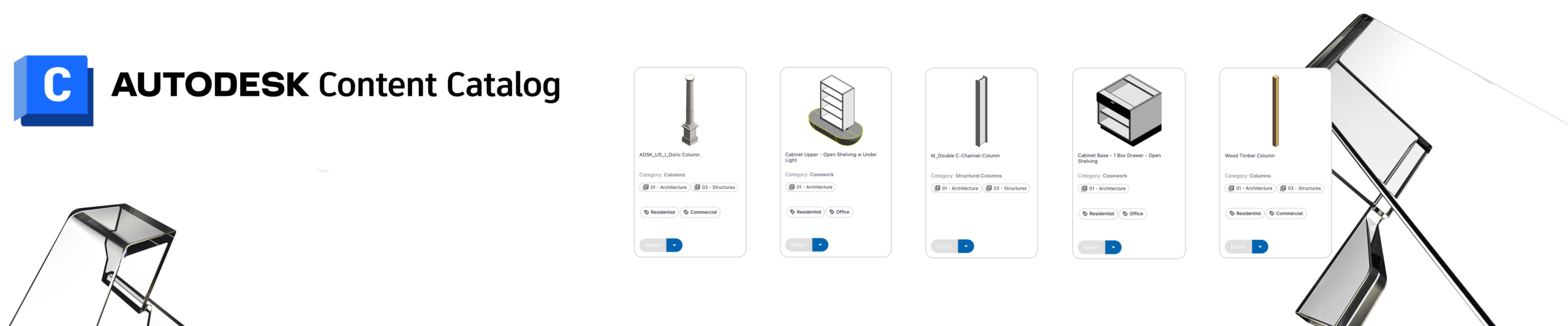
 Building Information Modeling depends on accurate, accessible, and standardized content. However, many firms struggle with scattered Revit families, outdated templates, and inconsistent standards. Autodesk Content Catalog addresses these challenges by providing a centralized, cloud-based content management solution that connects directly with Autodesk Revit. According to Autodesk, Content Catalog includes tools for content management, content strategies, administration, and application-specific workflows. [help.autodesk.com]
What Is Autodesk Content Catalog?
Autodesk Content Catalog is a cloud-based digital asset management platform designed for BIM content. It serves as a single source of truth for company-approved Revit assets. The system allows teams to store, organize, discover, and manage content from a centralized location. Information from the attached presentation highlights that the platform manages the most up-to-date company BIM content while integrating directly with Revit.
Unlike traditional network folders, Content Catalog provides structured organization, advanced search capabilities, version tracking, and metadata-driven content management. As a result, project teams can spend less time searching and more time designing.
Learn more:
https://help.autodesk.com/view/CONTCAT/ENU/
Easy Integration with Revit
One of the biggest advantages of Content Catalog is its direct integration with Revit. Users can install the extension and access content without leaving their design environment. The presentation notes that the extension is installed through Autodesk and supports multiple Revit versions, including current releases. [Autodesk C…nt Catalog | PowerPoint]
Furthermore, users can manage model connections directly within Revit. They can also switch content connections through a dialog box when needed. This flexibility helps organizations maintain consistent standards across projects.
Organizing Content by Type
Content Catalog supports a wide range of Revit assets. The presentation identifies nine primary content types:
- Fill Patterns
- Loadable Families
- Materials
- Placeholder Sheets
- Schedules
- Sheets
- System Families
- Tags
- Views
These categories help users locate assets quickly and maintain a logical content structure. Instead of searching through complex folder hierarchies, users can browse content based on type and approval status.
Collections and Channels Improve Governance
Content governance is critical for BIM managers. Content Catalog organizes assets into collections and channels. These content silos sort information based on content type and vetting status. Consequently, firms can separate approved production content from work-in-progress or testing libraries.
This structured approach improves quality control. It also ensures that project teams use approved content rather than outdated families stored on local drives.
Powerful Search and Tagging Features
Finding the right family should not take several minutes. Content Catalog solves this problem through advanced search capabilities.
The platform allows users to search content by:
- Name
- Collections
- Tags
- Filters
In addition, administrators can create custom tags for uploaded content. These tags provide another layer of organization and make searches more precise. Users can add or remove tags as requirements evolve. Therefore, content remains easy to find even as libraries grow. [Autodesk C…nt Catalog | PowerPoint]
For frequently used queries, users can create saved searches. These saved presets help streamline repetitive tasks and provide faster access to commonly used content.
Rich Asset Information and Version Control
A strong content management system must provide more than file storage. Content Catalog includes extensive metadata and content details.
Users can view:
- Collections
- Tags
- Preview Images
- Properties
- File History
- Version Information
This visibility helps teams understand what content they are using and whether it is current. Version history is especially valuable because it supports accountability and reduces the risk of using outdated assets.
Streamlined Content Requests and Uploads
Many organizations receive frequent requests for new BIM content. Content Catalog includes a Request Center that allows users to submit content requests through a standardized process. This approach improves communication between design teams and content administrators.
Uploading content is equally efficient. According to the presentation, users can upload content through drag-and-drop workflows or batch export processes. Batch export functionality helps administrators move large content libraries into the platform more efficiently.
Why BIM Managers Should Consider Content Catalog
For BIM managers, standardization remains a constant challenge. Content Catalog provides a centralized framework that helps organizations maintain quality while supporting scalability.
Key benefits include:
- Centralized content management
- Direct Revit integration
- Advanced search capabilities
- Custom tagging and metadata
- Version tracking
- Structured approval workflows
- Simplified content requests
- Cloud-based accessibility
Together, these features help reduce duplication, improve content quality, and increase user adoption.
Final Thoughts
Autodesk Content Catalog offers a modern approach to BIM content management. Instead of relying on disconnected folders and manual processes, organizations can create a centralized repository for approved Revit content. The platform combines cloud-based storage, intelligent search tools, content governance features, and Revit integration into a single solution. Based on Autodesk documentation, Content Catalog can significantly improve how firms manage, discover, and deploy BIM assets across projects.